Projects

Small programs and utilities for Windows.

This page contains projects that can be downloaded or opened for more detailed information.

Project list

KLayoutIndicator

A Windows keyboard layout indicator: it shows the active input language with a clear on-screen frame. It can also display Caps Lock and Num Lock states, which is especially useful on password entry forms.

  • Free.
  • Shows the current keyboard layout with a colored frame.
  • Separate style for each layout: color, thickness, and opacity.
  • Frame pulsing: toward a selected opacity, from it, or back and forth; the period is configurable.
  • Displays Caps Lock and Num Lock with separate frames.
  • A short Caps Lock press can switch the layout, while a long press keeps the standard Caps Lock behavior.
  • (v.2.8.2 added) Alt + Space can switch the layout.
  • Frame around the screen, work area excluding the taskbar, window under the cursor, or window with the active caret.
  • Multi-monitor modes: a separate frame on each monitor, one frame around the whole desktop, or a frame on the monitor with the cursor.
  • Can switch layout after keyboard idle time, works from the tray, and can start with Windows.
  • (v.3.5.0 added) Settings to assist users whose physical keyboard has only one layout printed on it [experimental].
Open project page Download archive (v.3.5.0) Feedback

DiskActivityLed

A read/write activity indicator for Windows storage devices. It can be useful on computers without a hardware disk activity LED and when working through Remote Desktop.

  • Free.
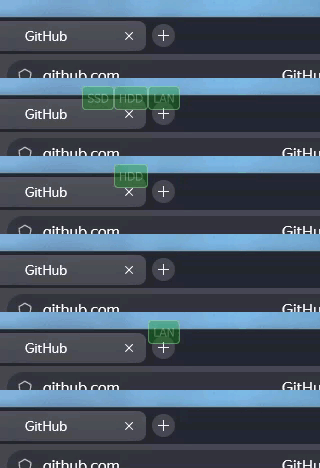
  • Displays device activity on the screen.
  • Allows choosing which devices should be shown.
  • Allows setting the display order of devices.
  • Indicator appearance settings; details are available on the project page.
  • Individual indicator style settings for each device.
  • Allows renaming automatically detected devices.
  • Can show activity as a small circle, so the indicator is less intrusive. In this mode, activity from selected devices is combined.
  • Allows setting the indicator position on the screen horizontally and vertically.
  • Allows choosing the monitor for indicators when several monitors are connected.
  • Includes an option intended to reduce burn-in risk on OLED monitors.
  • Settings are available from the Windows notification area icon.

Transparent indicators, horizontal layout

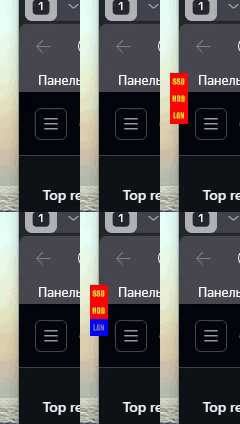
Transparent indicators, vertical layout

Lamp mode

Open project page Download archive (v.2.26) Feedback GitHub

About the site

The site is intended for short project descriptions, download links, and additional materials.

As new programs appear, they will be added to the project list as separate cards.